
Did you know over a billion people use Instagram every month? Many are stepping back to rethink their social media use. If you’re thinking about deleting your Instagram account, you’re in good company. Concerns about mental health, data privacy, and digital clutter are on the rise.
Deleting your Instagram account can feel freeing. It lets you take back your time and focus on what’s important. We’ll show you how to permanently delete your Instagram account in just 3 easy steps.
Key Takeaways
- Understand the reasons why you might want to delete your Instagram account.
- Learn the simple 3-step process to permanently delete your account.
- Discover the benefits of deleting your Instagram account, including improved mental health and increased productivity.
- Find out what happens to your data after you delete your account.
- Get tips on how to prepare for life after Instagram.
Why People Choose to Delete Their Instagram Accounts
More and more people are choosing to delete their Instagram accounts. This is because they want to improve their mental health and address privacy concerns.
Social Media Fatigue and Mental Health
Using social media too much can make people feel anxious, depressed, and lonely. The endless stream of perfect images and the need to show a perfect online self can be too much. This leads to social media fatigue.
By deleting their Instagram accounts, users can feel better mentally. They can focus on their well-being instead of the constant online pressure.
Privacy Concerns in the Digital Age
Privacy is a big worry in today’s digital world. Many people are worried about how their data is used and shared by social media. The table below shows some major privacy worries with social media.
| Privacy Concern | Description | Impact |
|---|---|---|
| Data Collection | Social media platforms collect a lot of user data. | Potential misuse and exploitation of data. |
| Data Sharing | User data is often shared with third-party advertisers. | Targeted ads and possible privacy breaches. |
| Surveillance | Users are constantly monitored. | Privacy invasion and risk of stalking or harassment. |
Deleting Instagram accounts is a way for users to protect their privacy. It helps reduce their digital presence.
Understanding the Difference: Deletion vs. Deactivation
It’s important to know the difference between deactivating and deleting an Instagram account. This choice is key when you want to take a break or leave for good. You might choose between temporary deactivation or permanent deletion.
Temporary Deactivation: What It Means
Temporary deactivation lets you hide your account without deleting it. Users can reactivate their account at any time by simply logging back in. Your account’s profile, photos, comments, and likes won’t be seen by others during this time. It’s a good option if you need a break or might return later.
Permanent Deletion: The Complete Removal
Permanent deletion means your account and data are gone for good. Once an account is deleted, it cannot be recovered. Make sure you’ve backed up important data before deleting. The process includes steps to confirm you want to delete your account.
| Feature | Temporary Deactivation | Permanent Deletion |
|---|---|---|
| Reversibility | Reversible | Irreversible |
| Data Visibility | Data hidden, not visible | Data permanently removed |
| User Profile | Profile hidden, can be restored | Profile and data deleted |
Instagram’s help center says, “Deactivating your account is a temporary measure that lets you take a break from Instagram without permanently deleting your account.” This shows how flexible temporary deactivation is.
“The choice between deactivating and deleting an account should be based on the user’s future plans for using the platform.”
Before You Delete: Important Preparations
Before you delete your Instagram account, make sure you’re ready for what’s next. Deleting your account is permanent and can’t be undone. So, it’s key to take a few important steps first.
Downloading Your Instagram Data
First, download your Instagram data. This includes all your posts, stories, and account info. Having a copy of your data means you can keep your memories and info even after your account is deleted.
Step-by-Step Data Download Process
To download your data, follow these steps: Go to your Instagram settings, then “Security,” and “Download Data.” Enter your email and password, and Instagram will send a download link. This process is easy and makes sure you have a backup of your info.
Backing Up Photos and Videos
Also, back up your photos and videos. You can save them to your device or use cloud storage. This way, you’ll have your favorite memories even after your Instagram account is deleted.
Saving Important Messages and Contacts
If you’ve had important chats on Instagram, save those messages. You can take a screenshot or copy the text to a document. Also, save the contact info of people you’ve connected with through the platform.
| Preparation Step | Description |
|---|---|
| Download Instagram Data | Retrieve your posts, stories, and account information |
| Back Up Photos and Videos | Save your favorite memories to your device or cloud storage |
| Save Important Messages and Contacts | Preserve conversations and contact information |
Step 1: Access Instagram’s Delete Account Page
To delete your Instagram account, start by going to the delete account page. This is the first step in the process.
Using the Mobile App
Managing your Instagram account through the app is easy. You can find the delete account page on your Android or iOS device.
For Android Users in India
Android users in India, here’s what to do: Open the Instagram app. Go to your profile and tap the three horizontal lines. Then, select ‘Settings’, then ‘Help’, and ‘Help Center’. Search for ‘Delete Account’ and follow the instructions.
For iPhone Users in India
iPhone users in India, follow these steps: Open the Instagram app. Go to your profile and tap the three horizontal lines. Then, select ‘Settings’, then ‘Help’, and ‘Help Center’. Search for ‘Delete Account’ and follow the instructions.
Using a Web Browser
Using a web browser to manage your Instagram account is also an option. You can access the delete account page from your desktop or mobile browser.
Desktop Navigation Tips
On a desktop, go to Instagram’s official website. Log in and go to your profile. Click on the profile icon, then ‘Settings’, and find ‘Help’ or ‘Help Center’. From there, you can find the link to delete your account.
Mobile Browser Method
On a mobile browser, open Instagram’s website. Log in and access your profile. Tap on the three dots or the profile icon to find ‘Settings’ or ‘Help’. Navigate to the ‘Help Center’, search for ‘Delete Account’, and proceed with the deletion process.
| Device | Steps to Access Delete Account Page |
|---|---|
| Android | Open Instagram app, go to profile, tap three horizontal lines, select ‘Settings’, then ‘Help’, and search for ‘Delete Account’. |
| iPhone | Open Instagram app, go to profile, tap three horizontal lines, select ‘Settings’, then ‘Help’, and search for ‘Delete Account’. |
| Desktop | Log in on Instagram’s website, go to profile, click profile icon, select ‘Settings’, and find ‘Help’ or ‘Help Center’. |
By following these steps, you can easily access the delete account page on Instagram using either the mobile app or a web browser.
Step 2: Navigate Through the Deletion Process
Deleting your Instagram account is easy. Just follow a few simple steps. First, go to the delete account page. Then, you’ll see a series of questions to make sure you really want to delete your account.
Selecting Your Reason for Leaving
The first question is why you’re leaving Instagram. This helps Instagram know why people delete their accounts. You’ll see a list of reasons. Pick the one that fits your situation best.
Re-entering Your Password
Next, you’ll need to enter your password again. This is to make sure you’re really the account owner. It also helps prevent mistakes in deleting your account.
Confirming Your Decision
After entering your password, you’ll confirm your choice to delete. This is your last chance to make sure you’re okay with deleting your account forever. It can’t be undone.
By following these steps, you’ll delete your Instagram account without trouble. Remember, deleting your account is permanent. All your data will be gone, following Instagram’s data policies.
Step 3: Confirm and Complete the Deletion
The final step in deleting your Instagram account is to confirm your decision and finish the deletion. Instagram gives you a 30-day grace period. This lets you change your mind and reactivate your account.
Understanding the 30-Day Grace Period
The 30-day grace period is a temporary reprieve. It lets you think again about deleting your Instagram account. During this time, your account is deactivated, and your content is not seen by others. If you log in, your account will be reactivated, and the deletion will be canceled.
Avoiding Accidental Reactivation
To make sure your account is deleted, it’s key to avoid accidental reactivation. You can do this by managing your email notifications and removing the Instagram app from your devices.
Email and Notification Management
Instagram might send notification emails to your email during the 30-day grace period. To avoid reactivation, keep an eye on your email. Don’t click on any links that might reactivate your account.
Removing App to Prevent Automatic Logins
Removing the Instagram app from your device stops automatic logins that might reactivate your account. This is important if you have automatic login enabled on your device.
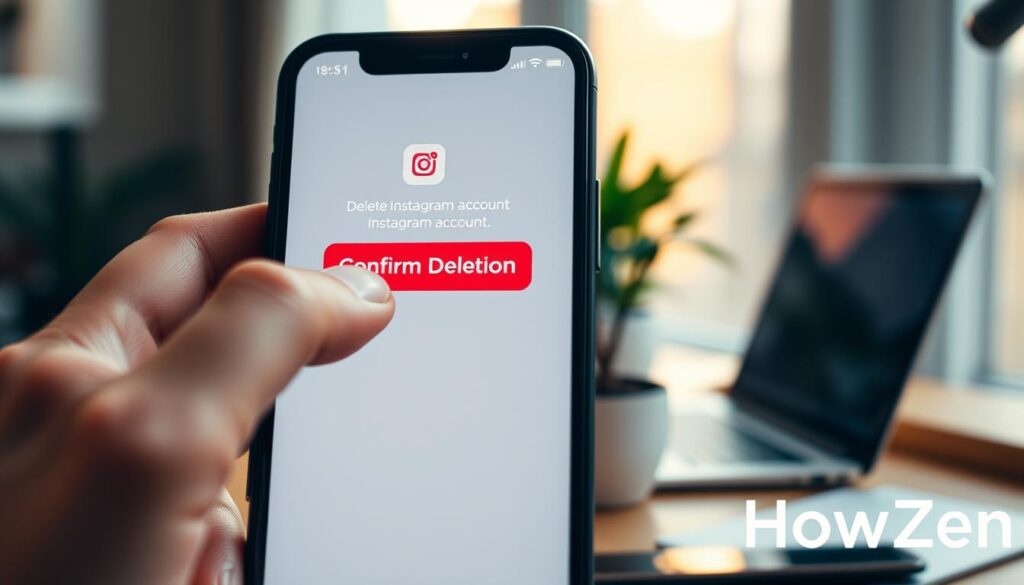
By following these steps, you can make sure your Instagram account is deleted right. And you can avoid any problems during the 30-day grace period.
How to Delete Instagram Account Permanently from Different Devices
Deleting your Instagram account is easy, no matter if you’re on an Android phone, an iOS device, or a desktop computer. The steps are simple and can be done in just a few minutes.
Deletion from Popular Android Phones in India
Android users in India can easily delete their Instagram accounts. Brands like Samsung and Xiaomi, as well as OnePlus and Realme, support the Instagram app. This makes deleting your account smooth and hassle-free.
Samsung and Xiaomi Devices
On Samsung and Xiaomi phones, open the Instagram app. Then, go to your profile and tap the three horizontal lines on the top right. Next, go to “Settings” and then “Help.” Look for “delete account” in the Help Center and follow the instructions.
OnePlus and Realme Devices
For OnePlus and Realme phones, the steps are similar. Open the Instagram app, go to your profile, and tap the three horizontal lines. Then, go to “Settings,” then “Help,” and search for “delete account.” Follow the instructions to delete your account.
Deletion from iOS Devices
On iOS devices, like iPhones, deleting your Instagram account is easy. Open the Instagram app, go to your profile, and tap the three horizontal lines on the bottom right. Then, go to “Settings,” then “Help,” and search for “delete account.” Follow the prompts to complete the deletion.
Deletion from Desktop Computers
To delete your Instagram account from a desktop, visit the Instagram website and log in. Go to your profile, click on the gear icon, and select “Edit Profile.” Then, click on “I want to delete my account” and follow the instructions.
What Happens to Your Data After Deletion
Deleting your Instagram account makes you wonder about your data’s future. You might think about what happens to your posts, photos, and other info.
Content Removal Timeline
When you start deleting your account, your content is removed from Instagram. Instagram says it can take up to 90 days to remove all your data from their servers. But, some data might stay in backup systems longer.
Data Retention Policies
Instagram has rules for keeping your data. These policies decide how long your data stays after you delete your account. Even after your account is gone, some data might stay due to legal needs.
Instagram’s Data Policies in India
Instagram follows Indian data protection laws. In India, these laws are changing, and Instagram keeps up to protect your data.
Indian Data Protection Laws
Indian laws aim to protect your data. These laws affect how companies like Instagram handle data. Knowing these laws helps understand what happens to your data after you delete your account.
Alternatives to Complete Account Deletion
If you’re not sure about deleting your Instagram account, there are other choices. Many users think hard before deleting their account. There are ways to explore before making a final decision.
Temporary Deactivation Process
One option is to temporarily deactivate your account. This lets you take a break without losing your data or account forever. To do this, log in on a web browser, go to your profile, and edit settings. Look for the “Temporarily disable my account” option.
Managing Your Instagram Usage
Another way is to manage your Instagram use without deleting. Instagram has tools to help you control your time and what you see.
Setting Time Limits
Instagram lets you set time limits. By setting a daily limit, you get reminders when you’ve used up your time. This helps you stay within your desired use.
Content Filtering Options
You can also filter the content you see. Instagram’s “Mute” feature lets you ignore posts from accounts you don’t want to see. This way, you can make your feed show more of what interests you.
| Feature | Description | Benefit |
|---|---|---|
| Time Limits | Set daily time limits on Instagram usage | Helps manage screen time |
| Content Filtering | Mute accounts to curate your feed | Improves feed relevance |
| Temporary Deactivation | Take a break from Instagram without deleting your account | Preserves account data |
Common Issues When Deleting Instagram Accounts
Instagram makes it easy to delete accounts, but users in India and other places might face problems. These can include login issues or trouble with the deletion process.
Troubleshooting Login Problems
Many users struggle with logging in to delete their Instagram accounts. The main reasons are forgotten passwords and issues with two-factor authentication.
Forgotten Passwords
Forgot your Instagram password? Use the “Forgot Password” option on the login page. Instagram will help you reset it via email or SMS.
Two-Factor Authentication Issues
Two-factor authentication adds security to your account. If you’re having trouble, check that your phone or authenticator app is set up right. Make sure you’re getting the authentication codes.
What to Do If Deletion Doesn’t Work
Can’t delete your Instagram account? Don’t worry, there are more steps you can take. You might need to reach out to Instagram support or try a VPN solution.
Contacting Instagram Support from India
To get in touch with Instagram support, visit the help center on the Instagram website or app. Report your issue, and support will help you out. Users in India can access this support through the app or website.
Using VPN Solutions
At times, a VPN can solve connectivity or location issues that block account deletion. Pick a trusted VPN service and connect to a suggested server before trying to delete your account again.
Life After Instagram: Digital Detox Benefits
Deleting your Instagram account is a big step towards a digital detox. It lets you take back your time and focus on what’s important. You’ll have more room for personal growth and real connections.
Reclaiming Your Time and Focus
Without Instagram, you can reclaim hours lost to scrolling. You can use this time for hobbies, learning, or just enjoying quiet moments. Experts say less social media means better focus and productivity.
“The key to a successful digital detox is not just about removing social media apps, but about creating space for more meaningful activities and connections.”
Building Real-World Connections
A digital detox helps you connect more with the world. By not using your phone, you’ll connect with others in a deeper way. This can make your social life richer and your community stronger.
| Benefits of Digital Detox | Impact on Daily Life |
|---|---|
| Reclaiming Time | More hours for personal interests and hobbies |
| Improved Focus | Better concentration and productivity |
| Real-World Connections | Stronger, more meaningful relationships |
Conclusion
Deleting your Instagram account can feel freeing. It lets you take back your time and focus on important things. This article shows you how to delete your account easily and manage your online life better.
Thinking about deleting Instagram? It’s a choice that’s right for you. Maybe you want less social media, better privacy, or a digital break. Deleting your account can be a great start to something new.
Deleting your Instagram account is simple and can be very beneficial. Knowing the steps and being aware of your social media use helps. It’s a step towards a healthier online life.
FAQ
How do I delete my Instagram account?
To delete your Instagram account, visit the Instagram delete account page. Choose a reason for deleting, re-enter your password, and confirm your choice.
What is the difference between deactivating and deleting my Instagram account?
Deactivating your account makes it temporarily unavailable. Deleting it removes it forever. Deactivation lets you reactivate, but deletion is permanent.
Can I reactivate my Instagram account after deleting it?
No, you can’t reactivate a deleted Instagram account. You’ll need to create a new one if you want to use Instagram again.
How long does it take for Instagram to delete my account?
Instagram gives you 30 days before deleting your account for good. During this time, your account is deactivated. It’s then deleted after 30 days.
Will deleting my Instagram account remove all my data?
Deleting your account removes visible data like posts and profile info. But, Instagram might keep some data, like logs and metadata, based on their policies.
Can I delete my Instagram account from the mobile app?
Yes, you can delete your account from the mobile app. Just go to the delete account page in the app’s settings or help section.
What happens to my Instagram data after I delete my account?
Deleting your account removes visible data and deactivates your account. Instagram might keep some data, following their policies.
How do I download my Instagram data before deleting my account?
To download your data, go to your account settings. Then, select “Security” and “Download Data.” Follow the prompts to get your data.
Can I delete my Instagram account if I have forgotten my password?
If you forgot your password, reset it using the “Forgot Password” option. Once reset, you can delete your account.
Is it possible to cancel the deletion of my Instagram account?
Yes, you can cancel deletion by logging back in within 30 days. This will reactivate your account and stop the deletion.
How do I terminate my Instagram account permanently?
To permanently delete your account, follow the deletion steps. Make sure you understand it’s a permanent action.
What are the alternatives to deleting my Instagram account?
Instead of deleting, you can deactivate your account temporarily. Or, manage your use by setting time limits and using content filters.
How can I remove my Instagram account from my device?
To remove your account from your device, delete the Instagram app or log out in the app’s settings.
Can I erase my Instagram account without affecting my other social media accounts?
Yes, deleting Instagram won’t directly affect other social media accounts. But, if linked or used for login, you might need to update those connections.
How do I disable my Instagram account temporarily?
To temporarily disable your account, go to your settings. Select “Temporarily disable account” and follow the prompts to deactivate.
What happens to my Instagram messages and contacts after I delete my account?
Deleting your account makes messages and contacts inaccessible. Save important ones before deleting your account.